Student services
Consolidated into one dashboard instead of scattered access points.
Case Studies
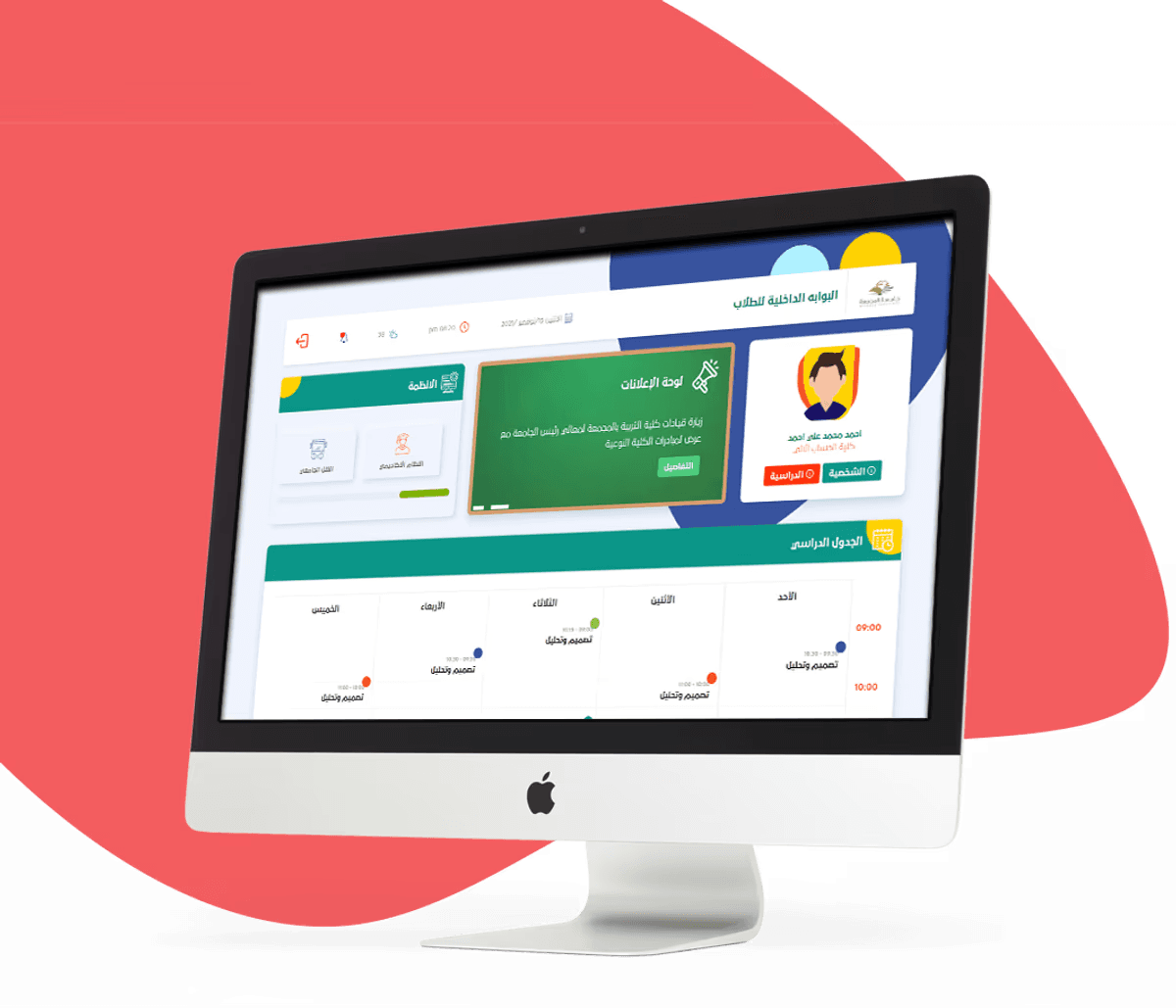
A unified Arabic student portal — consolidating academic services, schedule access, and university systems into a single daily dashboard.
01 — Context
Majmaah University students were managing their academic lives across several disconnected systems — a separate login for Blackboard, another for exam booking, another for the library — with no central place to see their schedule or access services quickly.
This portal was designed to change that. The goal was one authenticated dashboard where a student could check their timetable, reach any university system, review personal and academic information, and handle administrative tasks — without switching between multiple sites or re-entering credentials.
I was responsible for the UX design and front-end implementation. The visual direction was deliberately kept soft and approachable — a teal and warm-orange palette, rounded cards, generous spacing — to avoid the heavy institutional feeling that government-facing systems tend to carry. Students spend real daily time in this portal, and it needed to feel like a useful tool rather than a formal system.
02 — Challenge
The starting point was clear: students were doing too much work just to complete routine academic tasks. The friction wasn't in any single system — it was in the space between them.
03 — My Role
I owned the UX design and front-end implementation, translating student and stakeholder needs into a clear structure and responsive, buildable interface components.
04 — What I Found
Every decision in the portal traces back to a clear picture of who actually uses it and when. The profile below represents the typical daily pattern the design was built around.
Faisal uses his phone for almost everything. He checks his schedule first thing in the morning, usually before getting out of bed. Between classes he quickly looks up exam dates or checks his GPA. He doesn't browse — he arrives at the portal with a specific task and wants it done in under a minute.
05 — Key Decisions
Each decision below addresses a specific aspect of how students interact with academic services daily — from how the schedule is structured to how information surfaces without requiring navigation.
06 — Design / Execution
The portal covers the full range of daily student needs — academic, administrative, and informational — in a single authenticated session. Features are grouped by context on the dashboard, so students can reach what they need by scanning down the page rather than navigating through menus.
07 — Outcome / Impact
Consolidated into one dashboard instead of scattered access points.
Access to university systems without repeated sign-ins.
Responsive layout, direction, and interaction built for daily Arabic use.
08 — Reflection
This project demonstrates how I turn a complex service ecosystem into one coherent experience—connecting information architecture, RTL product design, and front-end implementation in the same delivery decision.